NibTune

Draw chiptune on iPad

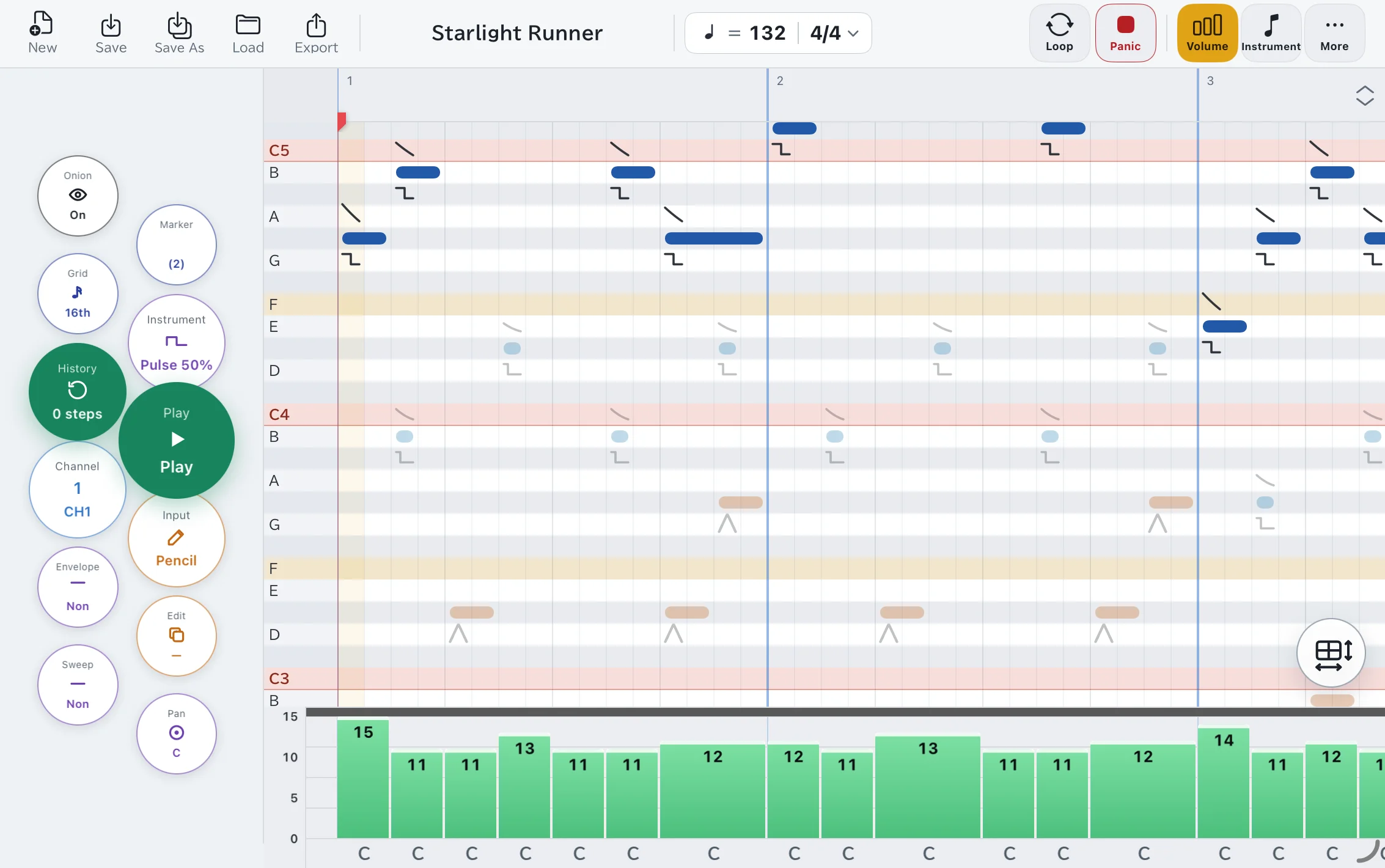
A chiptune sequencer for iPad. Draw notes on a piano roll — with your finger or with Apple Pencil. Switch tools one-handed from the radial menu.

Coming soon on the App Store

See how it works

Free to create. Saving beyond 3 songs and exporting need Pro.

32-second loop · unmute to hear it
iPad
iPadOS 18 or later
Apple Pencil
Recommended — or edit with finger mode
4-channel synth
2 pulse · 1 wavetable · 1 noise

Made for touch and Apple Pencil

Every interaction is touch-first. Press, drag, draw.

One-handed radial menu

Hold the iPad in one hand and work the radial menu with your thumb. Flick to switch mode, channel, instrument, or grid in an instant, while your other hand keeps drawing.

  • Tap for the default action, hold-and-swipe to open the menu
  • Switch tools in an instant
  • Adjustable menu size and column count in Settings
Sketch notes with Apple Pencil

Place notes as if drawing a line, drag to move, pull the tail to lengthen. The hand holding the Pencil can scroll and pinch-zoom too.

  • Pencil, eraser, repaint, and select modes
  • 16th, triplet, and 32nd grids with markers & loops
  • Onion-skin other channels while you edit

No Pencil? No problem

Finger mode, keyboard control, and VoiceOver are all supported.

  • Finger mode: one finger edits notes, two fingers navigate
  • A hardware keyboard alone can enter and edit (beta)
  • VoiceOver supported (beta)

Four classic 8-bit voices

Two pulse channels, a wavetable, and noise. By default you compose within retro-handheld-style limits. Turn on Free mode to lift them.

CH 1Pulse

Square wave with adjustable duty, envelope, and sweep.

CH 2Pulse

Second square wave. No sweep.

CH 3Wavetable

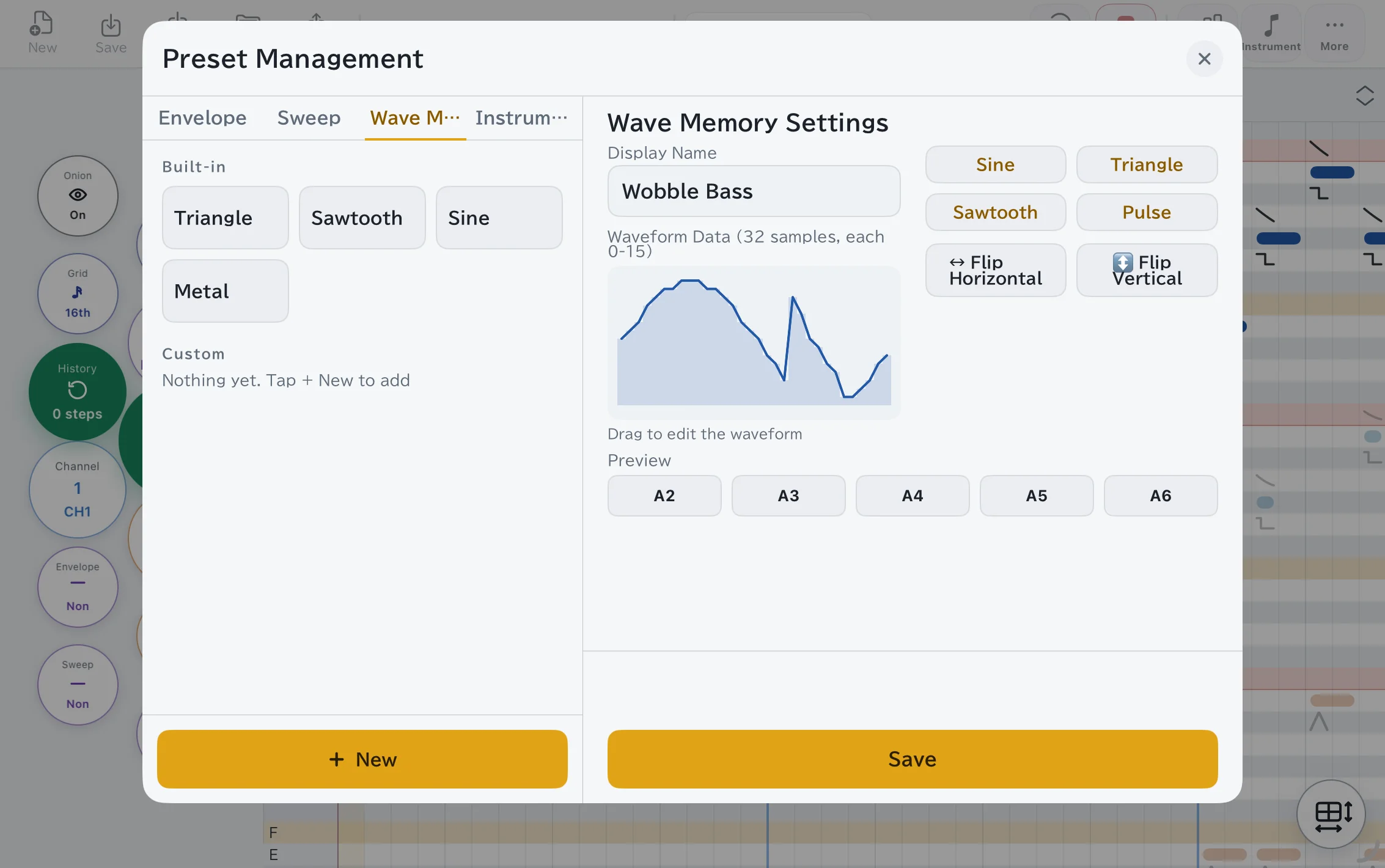
Custom 32-step waveform for any tone shape.

CH 4Noise

Switchable long/short period with adjustable envelope.

Preset manager
Preset manager
Volume & pan lane
Volume & pan lane

Free to create — Pro to export

Every editing feature is free. Pro lifts the save limit and unlocks export — one purchase, no subscription.

Pricing and purchase follow the App Store listing. Refunds and purchase history are handled through Apple.

Coming soon on the App Store

Common questions

Is an Apple Pencil required?
No. Apple Pencil is best, but finger mode lets you edit with one finger and scroll/zoom with two. Switch freely at any time.
Which devices are supported?
iPad only, iPadOS 18 or later.
What's included for free vs. Pro?
Free: save up to 3 songs and 3 custom presets. Export is not available.
Pro (one-time purchase): unlimited saves, plus WAV and project-file export.
Can I export my songs?
Yes — with Pro, render any song to WAV. Project files (.nibtune) are a Pro export too. Both go through the share sheet to AirDrop, Files, Mail, and more. Importing works on the free version.
Does NibTune collect my data?
No. NibTune collects and transmits nothing. Your songs and settings stay on your device, and there are no analytics or advertising SDKs. Everything you make works offline (the app only reaches the App Store to buy or restore Pro). See our Privacy Policy for details.
What is Free mode?
By default each channel is bound by retro-handheld-style limits (which tones are available, sweep, and so on). Turn on Free mode in Settings to lift them.
Does it work with a keyboard or VoiceOver?
Yes. A hardware keyboard alone covers the basics, including entering and editing notes, and VoiceOver is supported. Both are currently in beta, so controls and speech output may change in future updates. A few visual-first actions, such as drawing a wavetable by hand, are not operable by voice guidance alone.

Still stuck? Read the help & guide

Start your first chiptune on iPad

NibTune is coming to the App Store soon.

Coming soon on the App Store

Compare plans